
n8n course · Self-learning
Click by click and interactive: you build workflows with triggers and logic, connect your services, let AI agents work together and run everything reliably around the clock.
Buy course



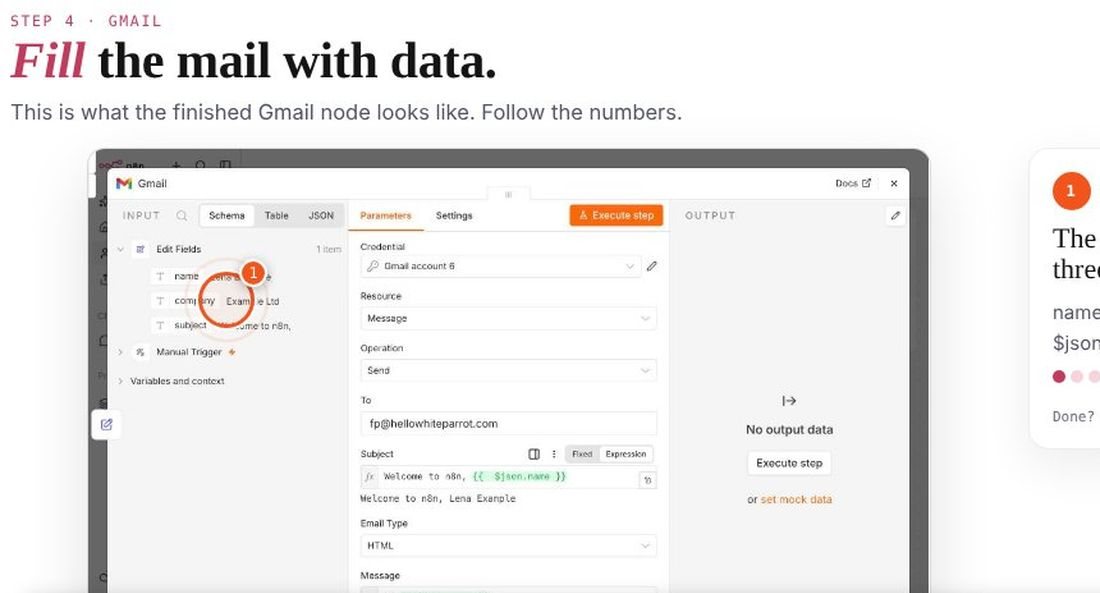
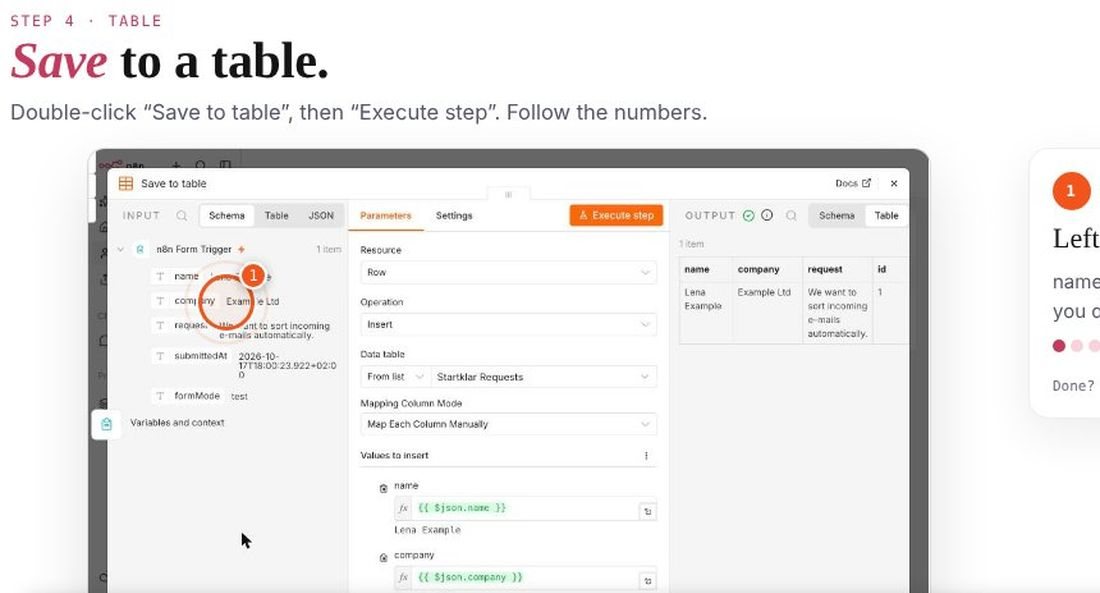
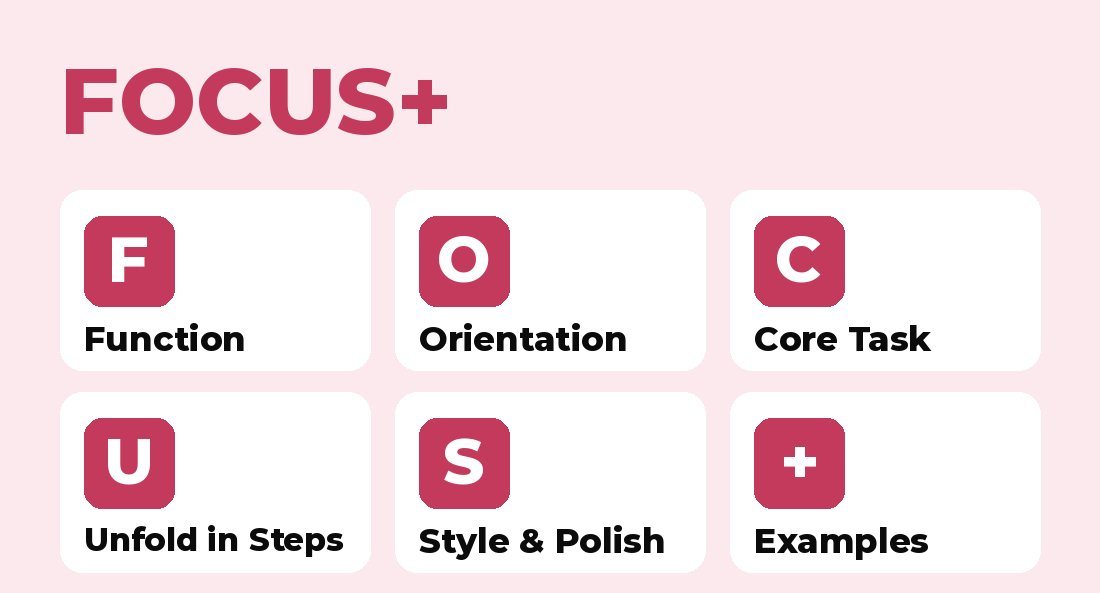
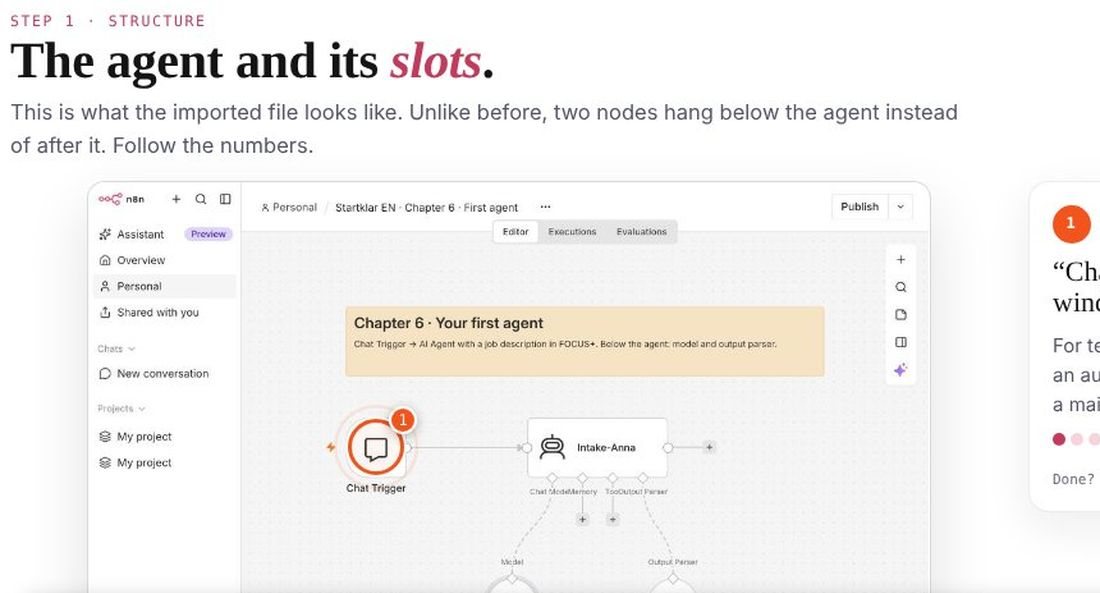
 Build workflows
What you learn
You read and build workflows with triggers, nodes and logic, no coding skills needed.
Nodes · Workflow · LogicForms, tables, APIs and webhooks: you pull data from your services and pass results on.
ConnectWith FOCUS+ as the job description, you build an agent with model, memory and tools. Then a second agent uses it as a building block.
Agent · Embed · FOCUS+Schedules, error workflows and versions make sure everything runs reliably on its own.
OperationsPro automation
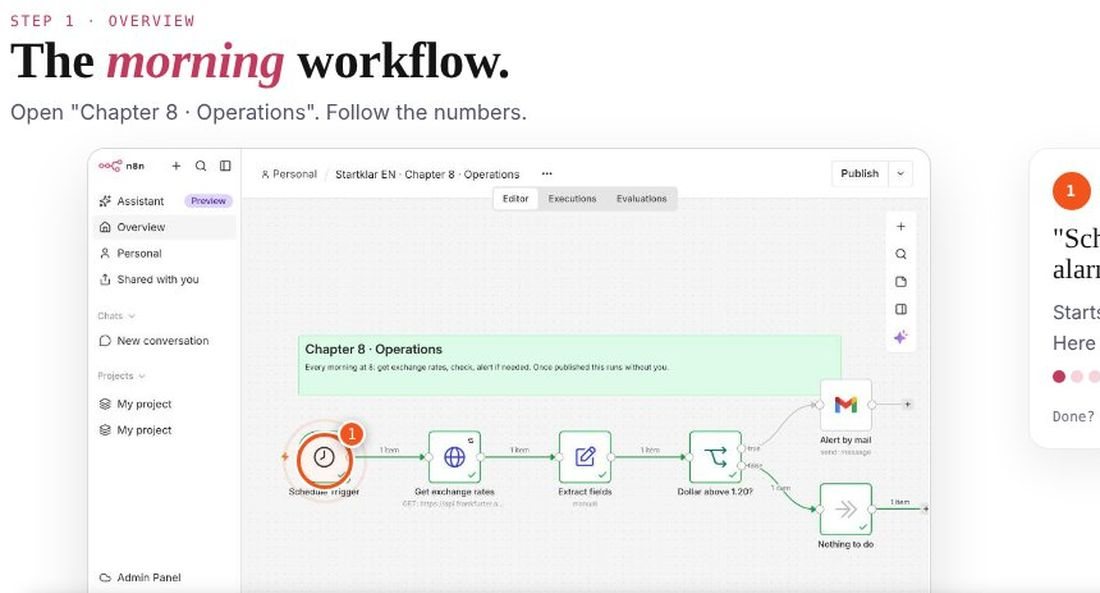
By the end of the course you build this workflow yourself. From then on, it keeps running without you.
Workflow from the coursesimplified view
At the finish
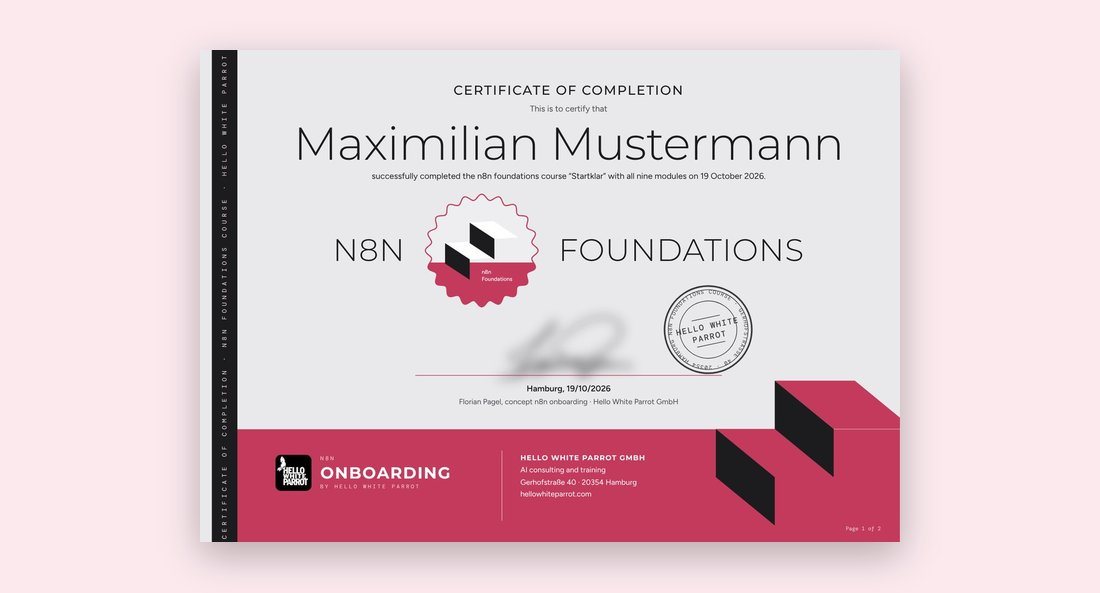
Once you have completed all chapters, you download a confirmation of participation as a PDF, with your name, the date and the contents of the guide. It confirms participation, not an exam. The short check at the end of each chapter: the solution is right below each question. We store nothing and evaluate nothing.

The chapters
How AI arrives at its answers · Why it is sometimes wrong · Which model is good for what
Account in n8n Cloud · Interface and terms
Nodes in five categories
Template, Edit Fields, expressions · Sending with Gmail
IF, Switch, Merge and Code
Form Trigger and Data Table · HTTP Request and webhook
A FOCUS+ job description · AI Agent, model and Structured Output Parser
Sub-workflows and tools · Simple Memory
Schedule Trigger and retry · Error Trigger, publishing and versions
Quick check · Starter plan to tick off · Confirmation of participation as a PDF
FOCUS+ in six building blocks · Pro tricks for every block · Prompt template to copy
Who it is for
You have processes that repeat every week and want to automate them cleanly and reliably.
You want to go through it yourself before deciding which processes your team automates.
You have never built a workflow. Chapter 1 starts with your first account.
The small print, in large type
The guide is a self-study product without tutoring and without assessment of learning success, and we do not answer subject questions about the content. Technical support is available for access and login only. This offer is not distance learning within the meaning of the German Distance Learning Protection Act (FernUSG). The online guide is a separate, pure self-study product. Booking this guide expressly does not entitle you to answers to individual questions, assessments of learning success, corrections or participation in live courses.
Your access is personal and works on up to two devices, for example laptop and phone. Please do not pass it on. Colleagues get their own, and there is a team version for whole teams. We review unusual logins, details in the privacy policy. Thanks for playing fair.
Create your n8n Cloud account directly via our partner link hellowhiteparrot.com/n8n. Chapter 1 shows you every click.
FAQ
No. You need neither programming skills nor your own server. Chapter 1 starts with your first account.
As long as you need. It works best in stages.
Until 31 December 2026 each course costs the launch price of €149 instead of €199, including VAT (€125.21 net). From 1 January 2027 it is €199. You pay once, there is no subscription.
Three months from the day your access code arrives by email, including all updates during that time. Access ends automatically, there is nothing to cancel. Download your confirmation of participation before it ends.
After payment you receive your personal code by email. You use it to activate your access in the course and can then sign in as often as you like.
Yes. You buy 2 to 49 seats and receive one code per person. Each seat costs the same as a single course. From 5 seats you get 10% off, from 10 seats 20%, from 25 seats 30%. Codes can be redeemed for 12 months, after that each access runs for three months. More than 49 seats? Write to hello@hellowhiteparrot.com.
The guide was designed by Hello White Parrot. We have been building agents and automations with n8n for years and are an n8n affiliate partner.
Please don't. Your access is personal and works on up to two devices at the same time, for example laptop and phone. Colleagues get their own access, and there is a team version for whole teams. How we detect shared access is explained in the privacy policy.
Cookies for Google Analytics, Google Ads and Meta?We would like to use Google Analytics to understand how our site is used, and Google Ads conversion tracking and the Meta pixel to measure whether our ads lead to enquiries or purchases. For this, Google (Google Ireland Limited) and, on this page, Meta (Meta Platforms Ireland Limited) set cookies, and data may also be transferred to the USA. Without your consent, nothing is loaded and nothing is sent to Google or Meta. You can change or withdraw your choice at any time via “Cookie settings” in the footer. Privacy policy