
Copilot course · Self-learning
Click by click and interactive: you sort out the three Copilots, write pro prompts with FOCUS+, build Pages and notebooks and learn how Microsoft 365 Copilot works alongside the team with your own agents and processes.
Start now






 Pro prompting with FOCUS+
What you learn
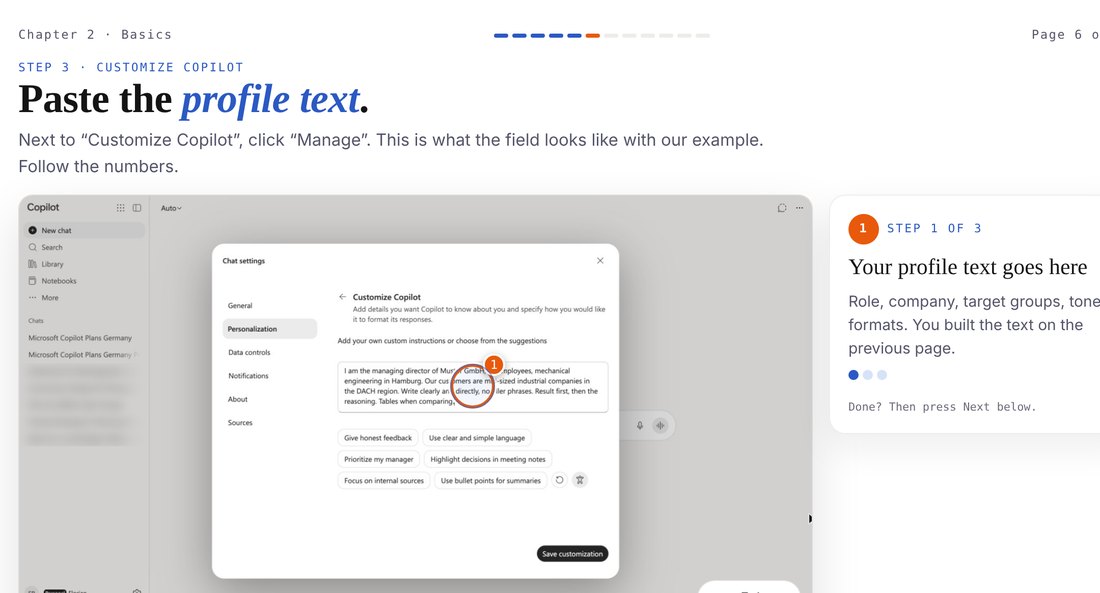
You set up your profile text and memories, pick the right mode and write prompts with FOCUS+. You check answers at the source.
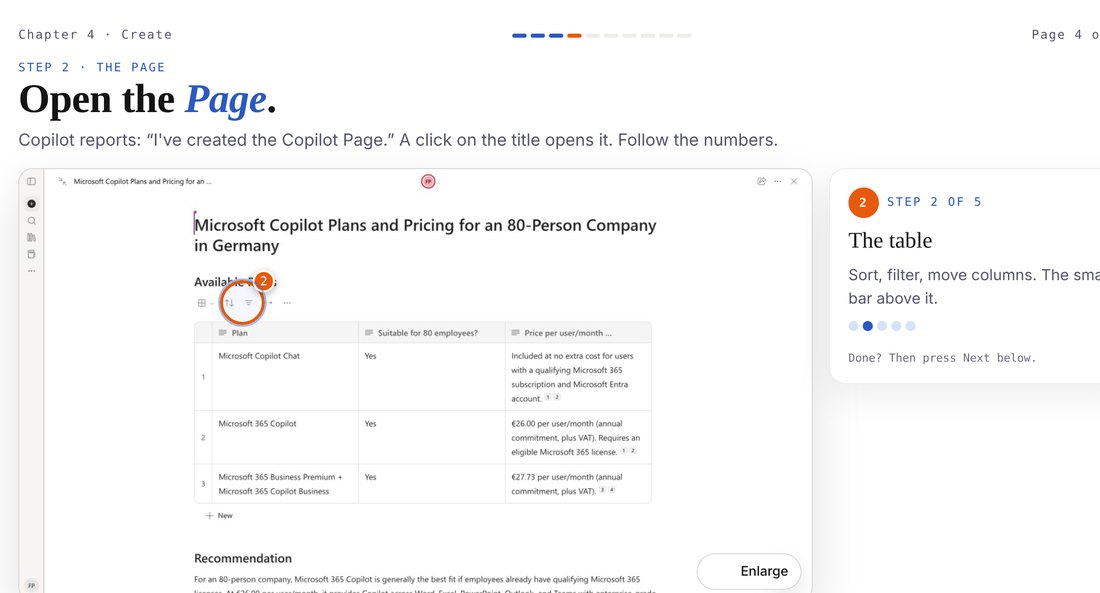
Basics · Chat · Bonus FOCUS+Answers become Pages, documents and images. Topics that run longer get their own notebook.
Create · NotebooksRole, knowledge, tools, sharing: you build your first agent following FOCUS+, supporting your team as a specialist.
At work · AgentsYou write your first process and know when a scheduled task, Copilot Studio or Power Automate fits.
In the apps · AutomateRuns on its own
In the course you write this process yourself. With the right licence it then runs without you.
Workflow from the coursesimplified view
At the finish
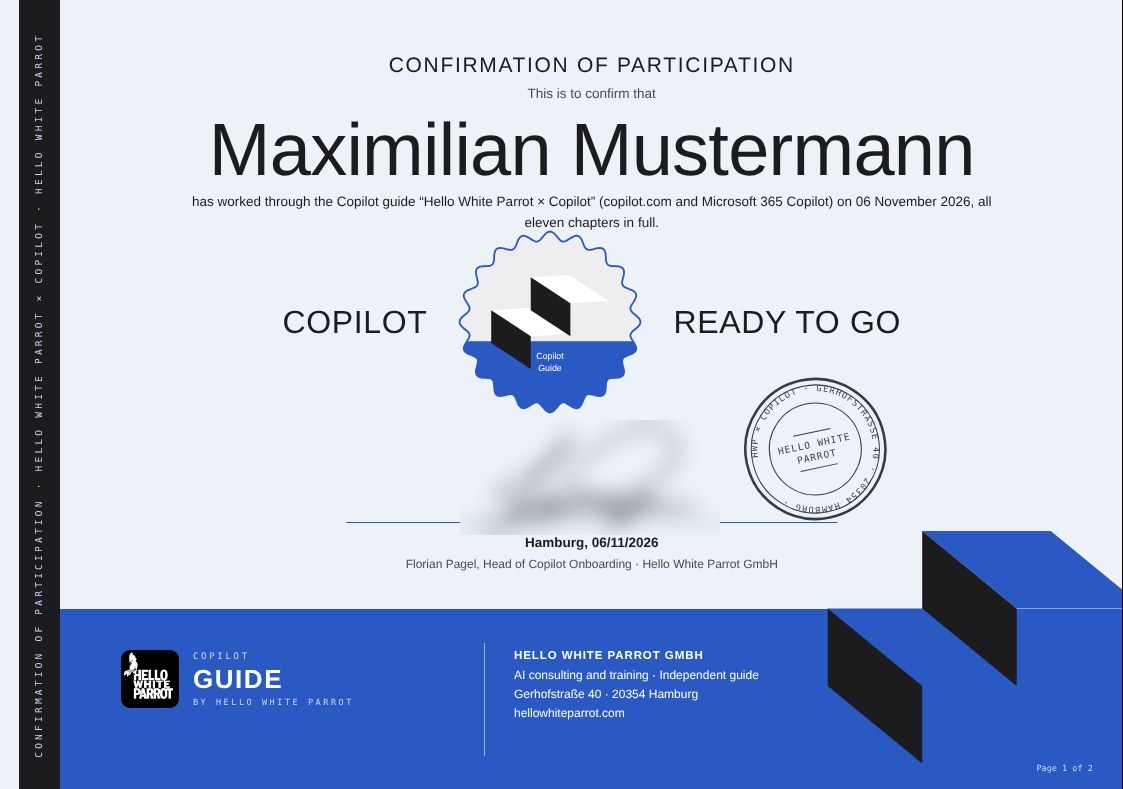
Once you have completed all chapters, you download a confirmation of participation as a PDF, with your name, the date and the contents of the guide. It confirms participation, not an exam. The short check at the end of each chapter: you reveal the solution yourself. We don't see your answers and store nothing.
The chapters
Probability machine, cutoff, context window, hallucination · Four model classes
Which Copilot is which · Personal is not company
Customize Copilot · Memories · Auto, quick or deep
Plus menu · Reading answers with sources
Pages · Library · Images
One room per topic · Checking answers
Data sources · The data traffic light
Copilot Chat and licence · Work or web · Researcher and Analyst
Word, Excel, PowerPoint, Outlook, Teams · 15 requests to copy
Role, knowledge, tools, sharing · Your first agent following FOCUS+
Trigger, steps, result · Three ways at Microsoft
Quick check · Your plan for four weeks · Confirmation as PDF
The inverted pyramid · Three moves of the fisherman · Six letters with pro tricks · Prompt template to copy
Who it is for

You already use Copilot in the chat and want more out of it: Pages, notebooks, your own agents.
Your company has Microsoft 365 or is planning the Copilot licence. You want to know beforehand what the team gets out of it.

You have never written a prompt. We start with the first chat.
The small print, in large type
The guide is a self-study product without tutoring and without assessment of learning success, and we do not answer subject questions about the content. Technical support is available for access and login only. This offer is not distance learning within the meaning of the German Distance Learning Protection Act (FernUSG). The online guide is a separate, pure self-study product. Booking this guide expressly does not entitle you to answers to individual questions, assessments of learning success, corrections or participation in live courses.
Your access is personal and works on up to two devices, for example laptop and phone. Please do not pass it on. Colleagues get their own, and there is a team version for whole teams. We review unusual logins, details in the privacy policy. Thanks for playing fair.
FAQ
Not for part 1. Part 2 shows Microsoft 365 Copilot with a company account; without a licence you read it as an outlook and know exactly what to ask your IT for.
No. Part 1 works with a free Microsoft account at copilot.com, and you never need programming skills.
As long as you need. It works best in stages, your progress is saved.
The guide is made for work. A company email tells us it reaches the place where it is needed.
Yes. For whole teams there is the team version with separate access for everyone. Talk to us.
No. The guide is an independent course designed by Hello White Parrot. Microsoft and Copilot are trademarks of Microsoft Corporation.
Yes. You can switch between English and German at any time, with matching screenshots.
Please don't. Your access is personal and works on up to two devices at the same time, for example laptop and phone. Colleagues get their own access, and there is a team version for whole teams. How we detect shared access is explained in the privacy policy.
Your account and your progress are stored on our server in Germany. Details are in the privacy policy.
Cookies for Google Analytics and Google Ads?We would like to use Google Analytics to understand how our site is used, and Google Ads conversion tracking to measure whether our ads lead to enquiries. For this, Google (Google Ireland Limited) sets cookies, and data may also be transferred to the USA. Without your consent, nothing is loaded and nothing is sent to Google. You can change or withdraw your choice at any time via “Cookie settings” in the footer. Privacy policy